
Biggest Cybersecurity Threats Coming in 2026

Why 2026 Will Be a Turning Point

Cybersecurity is transforming faster than ever. As our digital world grows smarter, hackers grow smarter too. By 2026, cybercrime is projected to cost the world over $15 trillion annually. Every device, every business, and even every person will be a potential target.

2026 is not just another year — it’s the year cyber threats become fully autonomous, more invisible, and more dangerous than ever.


AI-Driven Cybercrime

Autonomous Malware & Self-Learning Attacks

Imagine malware that thinks for itself, evolves, and never needs a hacker to guide it. That’s exactly what’s coming:

  • AI-powered viruses
  • Automated phishing networks
  • Real-time counter-defense evasion

These attacks will learn security patterns and adapt faster than human cybersecurity teams can respond.

Deepfake Scams Targeting Businesses

Fake video calls from a “CEO” or “Boss” telling employees to transfer money?
Yep — that’s already happening and will explode in 2026.

With AI voice cloning and deepfake videos:

  • Corporate fraud will skyrocket
  • Social engineering will become almost impossible to detect

Trust will be the first casualty.


Quantum Computing Threats

Breaking Traditional Encryption

Quantum computers will be able to crack encryption that currently protects:

  • Online banking
  • National security data
  • Blockchain networks

Your passwords may not be safe anymore.

“Harvest Now, Decrypt Later” Attacks

Hackers are already stealing encrypted data today.
They’ll decrypt it in 2026 when quantum tech becomes powerful enough.

This means future privacy breaches can come from today’s conversations.


IoT and Smart Device Vulnerabilities

Smart Homes as Attack Gateways

Smart bulbs, fridges, cameras — all great conveniences…
But each one is a door for hackers.

Once they enter through a simple device like a thermostat, they can:

  • Steal personal data
  • Hijack a home network
  • Spy inside your house

Weak Security in Consumer Devices

Cheap IoT products often skip strong security.
By 2026, billions of insecure devices will be online.

That’s a hacker’s dream.


Cyber Attacks on Critical Infrastructure

Power Grids & Healthcare Under Risk

Attacks on:

  • Hospitals
  • Transportation networks
  • Water systems

can literally risk lives.

We’ve already seen cyberattacks shutting down fuel pipelines — expect more.

Industrial Espionage

Governments and corporations will battle silently online:

  • Stealing tech secrets
  • Disrupting factory operations
  • Targeting military systems

Cyberwar becomes the new world war.


Ransomware 2.0

Hackers aren’t satisfied with just locking your files anymore.

2026 ransomware attacks will:

  • Steal data
  • Leak data publicly
  • Attack your customers too

This triple-extortion method ruins companies financially and reputationally.


Cloud Security Risks

Misconfigurations Still Leading to Breaches

People trust the cloud too blindly.
One small setting mistake → millions of records exposed.

AI Attacks on Cloud Environments

Hackers will use automated tools to:

  • Scan cloud platforms constantly
  • Break in before IT teams even notice

Speed will be on the attackers’ side.


Digital Identity Theft & Biometric Hacks

Face ID & fingerprints are not bulletproof.

Deepfake biometrics will allow criminals to:

  • Unlock phones
  • Access bank accounts
  • Impersonate anyone

When your body becomes your password…
You can’t change it like you change a password.


Supply Chain Attacks

Why hack the target…
when you can hack the smaller vendor that works with them?

This technique caused massive global damage recently — and will continue to rise.

Every third-party tool becomes a risk.


Financial Sector Attacks

Crypto exchanges, fintech apps, and digital wallets will be prime targets.

Hackers will exploit:

  • Smart contract vulnerabilities
  • Investment fraud scams powered by AI
  • Automated banking systems

Money theft will become more silent and more sophisticated.


Cybersecurity Skills Shortage

Here’s the scary part:

While cybercrime grows…
there are millions of unfilled cybersecurity jobs worldwide.

Less defense + more attacks = a disaster waiting to happen.


The Rise of State-Sponsored Attacks

Countries will use hackers like soldiers.

Objectives include:

  • Disrupting elections
  • Causing economic instability
  • Spreading misinformation

The battlefield shifts from land to laptops.


How Businesses & Individuals Can Prepare

Zero Trust Architecture

Assume every login attempt is suspicious.
Every device must verify.
No blind trust — ever.

Security Awareness Training

People remain the weakest link.

Teaching employees how not to fall for scams can save millions.


Conclusion

2026 will redefine cybersecurity forever.
AI-powered attacks, quantum threats, and vulnerable smart devices will challenge even the strongest defenses.

But here’s the good news:
Awareness + Preparation = Protection.

If we start now — strengthen cybersecurity habits, invest in digital safety, adopt Zero Trust — we can survive the storm coming our way.

The future is dangerous…
but not hopeless.

Future of SaaS Autonomous Platforms That Think for You

Future of SaaS: Autonomous Platforms That Think for You

Introduction to the Next Era of SaaS

Imagine logging into your software — and everything is already done. Campaigns are optimized, reports are prepared, customers are helped, and problems are fixed before you even see them. That’s the future of SaaS.

We are stepping into an age where software won’t just store information — it will act on it intelligently. SaaS is becoming autonomous.

What Makes SaaS Autonomous?

From Manual Workflows to Self-Operating Systems

Traditional SaaS tools still depend heavily on human input. You must set rules, create tasks, and manage data manually. Autonomous SaaS flips that script. It handles:

  • Execution
  • Analysis
  • Improvement

…without waiting for someone to click a button.

AI Agents and Continuous Optimization

Autonomous SaaS uses intelligent agents that monitor performance and continuously improve results using data feedback loops.

Think of it like a co-worker that never sleeps and keeps upgrading itself.

Key Technologies Powering Autonomous SaaS

Machine Learning and Predictive Analytics

Platforms can now:

  • Predict user behavior
  • Forecast demand
  • Suggest business action

…not just show numbers in dashboards.

Large Language Models (LLMs) and Intelligent Interfaces

LLMs (like GPT models) allow software to understand natural language and take action. You can talk to SaaS like to your team:

“Create a Q4 revenue forecast and send to the CEO.”

Boom — done.

Automation Through API-First Ecosystems

Autonomous SaaS tools connect to everything. They pull data, execute processes, and deliver results across the business stack automatically.

How Autonomous SaaS Transforms Work

Eliminating Routine Tasks

No more manually updating spreadsheets or assigning tasks — software handles it.

Decision-Making Without Human Input

Autonomous systems detect issues and solve them instantly e.g., blocking suspicious accounts or adjusting pricing for demand.

From Tools to Digital Team Members

SaaS will take over roles like:

  • Analyst
  • Scheduler
  • Security guard
  • Sales assistant

We won’t just use software — we’ll work with software.

Benefits of Autonomous SaaS Platforms

Faster ROI and Reduced Operational Cost

Automation cuts labor hours, speeds execution, and boosts efficiency.

Hyper-Personalized Business Outcomes

Every customer journey is tailored in real-time, creating Netflix-style personalization across industries.

Improved Accuracy and Risk Management

AI catches mistakes humans miss — financial anomalies, cyber threats, and compliance issues.

Top Industries That Will Benefit

Marketing and Sales

Predictive lead scoring, auto-generated campaigns, fully managed customer funnels.

Cybersecurity

Threat detection and mitigation in milliseconds — before breaches happen.

Finance and Accounting

Automated auditing, budgeting, forecasting, and anomaly reporting.

Healthcare and Retail

AI-powered diagnosis support, inventory automation, and customer behavior insights.

Real-World Examples

Autonomous Customer Support Systems

AI agents respond, escalate, and resolve issues without human involvement.

Automated Financial Planning Tools

They analyze spending, build budgets, invest, and optimize portfolios independently.

Self-Learning Cybersecurity Platforms

Systems monitor networks, detect threats, and lock vulnerabilities instantly.

Challenges and Ethical Considerations

Privacy and Data Ownership

Who controls decisions made by software? Companies must prioritize transparency.

Job Shifts Instead of Job Loss

Instead of replacing jobs entirely, roles evolve toward:

  • Creativity
  • Strategy
  • Human interaction

Ensuring Responsible AI Automation

We must avoid bias and ensure fair decision-making as AI becomes more independent.

The Future: Autonomous SaaS Agents Running Businesses

Zero-Click Business Operations

SaaS handles everything automatically — even the decision to trigger new processes.

Fully Automated Customer Journeys

From the first click to post-purchase experience, AI guides users seamlessly through the funnel.

We are heading toward a world where a startup with smart software could outperform a big enterprise with outdated systems.


Conclusion

The future of SaaS is not about adding more features. It’s about removing friction — eliminating clicks, reducing workload, and letting AI handle the complexity behind the scenes. Autonomous SaaS platforms will fundamentally change how companies run, making machines the new operational workforce.

Businesses that adopt early will lead. Those who resist? They might not stay in the race.

AI Search Engines vs Google

AI Search Engines vs Google

Why the Battle Between AI Search Engines and Google Matters

Search is changing faster than ever. With AI-powered platforms like ChatGPT Search, Perplexity, and others entering the scene, millions of users are now asking themselves: Should I still rely on Google? The shift is huge—because for the first time, users can get direct, conversational answers instead of scrolling through countless links.

How Search Behavior Is Rapidly Changing

People no longer want blue links; they want solutions. They want explanations, summaries, and actionable insights without jumping across 10 pages. AI search engines provide that in seconds—and that’s exactly why this debate is trending globally.


Understanding AI Search Engines

What Exactly Is an AI Search Engine?

AI search engines use large language models (LLMs) to understand queries like a human does. Instead of matching keywords, they analyze intent and generate meaningful answers.

Conversational Results

You can ask follow-up questions like you’re chatting with a smart friend.

Personalized Insights

AI learns context from your previous questions and tailors the response.

You can search using text, voice, images, videos—even sketches in some cases.


Understanding Google’s Traditional Search Model

How Google Search Works

Google crawls billions of pages, indexes them, and shows results based on complex ranking algorithms. It’s fast, powerful, and unmatched in scale.

  • Requires users to click multiple links
  • Hard for beginners to understand technical topics
  • Doesn’t provide a direct “answer”
  • Overloaded with ads and SEO-optimized content

AI Search Engines vs Google: Core Differences

Query Processing

AI search engines understand intent; Google focuses on matching keywords.

Result Presentation

AI gives full answers.
Google gives a list of pages you must explore yourself.

Personalization and Context Awareness

AI remembers your previous questions; Google does not handle multi-turn conversations.

Real-Time Reasoning Capabilities

AI engines can summarize data, rewrite content, and provide insights instantly—something Google search alone cannot do.


Advantages of AI Search Engines

Faster Answers

You get solutions in seconds—no need to open 20 tabs.

Human-Like Understanding

AI interprets your query the way a person would.

Reduced Need for Multiple Clicks

Everything is summarized for you in one place.

Ideal for Research, Writing & Problem Solving

Students, marketers, developers, and researchers benefit massively.


Advantages of Google

Massive Indexing

Google crawls more of the internet than any other platform.

Accuracy for Factual & Real-Time Data

Weather, scores, live trends—Google wins here.

Better for Discovery, Shopping & Navigation

Google Maps, Shopping, News, and Images provide deep browsing options not found in most AI searches.


AI Search Engines vs Google: Use-Case Comparison

Best for Learning and Research

AI search engines give deeper, structured explanations.

Best for Shopping and Local Searches

Google remains the best due to reviews, listings, and maps.

Best for Technical Queries

AI engines explain debugging, coding, and logic seamlessly.

Google wins because of real-time updates and verified sources.


AI Search Engines Changing SEO

SGE (Search Generative Experience)

Google is adding AI summaries inside search to keep up.

Traffic to websites is dropping as more answers appear directly.

Rise of Conversational SEO

Brands must optimize for AI-driven summaries instead of traditional ranking.


Will AI Search Replace Google?

Current Limitations

AI may hallucinate or produce outdated info without live indexing.

Why Google Still Dominates

Because of decades of infrastructure, data, and accuracy.

The future is a blend—Google’s live data + AI engines’ intelligence.


Conclusion

AI search engines are rewriting how we find information. They’re conversational, fast, and incredibly smart. But Google still leads in real-time accuracy, web indexing, and navigation. Instead of replacing each other, both are evolving into a hybrid ecosystem where AI enhances search, and search enhances AI. The future isn’t AI vs Google—it’s AI + Google.

Agentic AI & Autonomous AI Agents

Agentic AI & Autonomous AI Agents: A Complete Guide to the Future of Intelligent Automation

Introduction to Agentic AI & Autonomous AI Agents

AI is no longer just a helpful tool—it’s becoming an independent digital worker capable of making decisions, taking actions, and completing complex tasks without constant human guidance. This evolution is powered by Agentic AI and Autonomous AI Agents, two groundbreaking concepts that are shaping the next generation of automation.

Let’s understand what makes them so powerful and why they’re becoming essential in every industry.


What Is Agentic AI?

Agentic AI refers to AI systems that can act independently, set goals, break down tasks, and work with tools—almost like a human assistant who thinks and executes rather than simply responding.

Agentic AI can:

  • Plan and reason
  • Make decisions autonomously
  • Use tools and APIs
  • Learn from feedback
  • Perform multi-step operations

It behaves like an agent, not a passive responder.


What Are Autonomous AI Agents?

Autonomous AI Agents are self-operating software entities that:

  • Observe their environment
  • Process information
  • Decide the best next action
  • Execute tasks
  • Evaluate outcomes

Think of them as AI employees who can manage tasks end-to-end.


Why These Technologies Matter Today

Because businesses and individuals need:

  • Faster automation
  • Higher accuracy
  • Lower workload
  • 24/7 operations

Agentic AI solves all these needs by working independently, efficiently, and continuously.


Understanding the Core Concepts

How Traditional AI Differs from Agentic AI

Traditional AI:

  • Only responds to user prompts
  • Follows pre-built rules
  • Cannot take independent action

Agentic AI:

  • Plans and executes tasks
  • Thinks contextually
  • Works autonomously

It’s like upgrading from a calculator to a personal assistant.


Key Features of Autonomous AI Agents

  • Autonomy in decision-making
  • Memory to store context
  • Tools access for executing tasks
  • Goal-oriented reasoning
  • Adaptive learning

Real-World Examples of Agentic Systems

  • Marketing agents that run full ad campaigns
  • Financial agents doing automated trading
  • Workflow agents handling emails, CRM, or analytics
  • Customer service agents solving tickets A to Z

How Agentic AI Works

The Architecture Behind Agentic AI

Perception Layer

Collects data: text, signals, images, web content, and system input.

Decision-Making Layer

Thinks, reasons, evaluates, and chooses the next best action.

Action Layer

Executes commands: API calls, automation, writing, coding, browsing, etc.


The Role of Memory, Context & Feedback Loops

Memory lets agents:

  • Remember past tasks
  • Learn user preferences
  • Improve decision-making over time

Feedback loops help them get smarter with each interaction.


Tools, Actions & Multi-Step Workflows

Autonomous agents can:

  • Browse the internet
  • Analyze data
  • Access databases
  • Send emails
  • Execute scripts
  • Solve tasks end-to-end

They don’t just think—they act.


Types of Autonomous AI Agents

Reactive Agents

Fast responders but without long-term planning.

Deliberative Agents

Plan steps, analyze options, and choose the best path.

Hybrid Agents

Mix of reactive and deliberative behavior for balanced performance.

Multi-Agent Systems (MAS)

A digital team of agents collaborating to solve big, complex tasks.


Applications of Agentic & Autonomous AI

Business Automation

Agents can run workflows, manage data, generate reports, and streamline operations.

Customer Support

24/7 conversation agents resolve issues instantly.

Healthcare

From medical analysis to patient monitoring and scheduling.

Cybersecurity

Real-time threat detection and automated response systems.

Finance

Autonomous trading, fraud detection, and financial forecasting.

Smart Agriculture & Smart Cities

Optimizing crop irrigation, traffic monitoring, energy distribution, and more.


Benefits of Agentic AI

Efficiency & Productivity

Completes tasks in seconds that normally take hours.

Scalability

One agent can handle thousands of processes at a time.

24/7 Autonomy

Constant performance without rest.

Error Reduction & Precision

Consistently reliable outcomes with reduced human error.


Challenges & Risks

Ethical Concerns

Who is responsible for decisions made by autonomous agents?

Data Privacy & Security Issues

Agents may require access to sensitive information.

Bias Risks

AI can adopt biases present in its training data.

Overdependence on Automated Agents

Rising reliance may reduce critical human oversight.


The Future of Agentic AI

Integration with Robotics

Intelligent robots capable of autonomous action in real-world environments.

AI-as-a-Worker (AI Employees)

AI agents performing fully operational roles in companies.

Multi-Agent Ecosystems

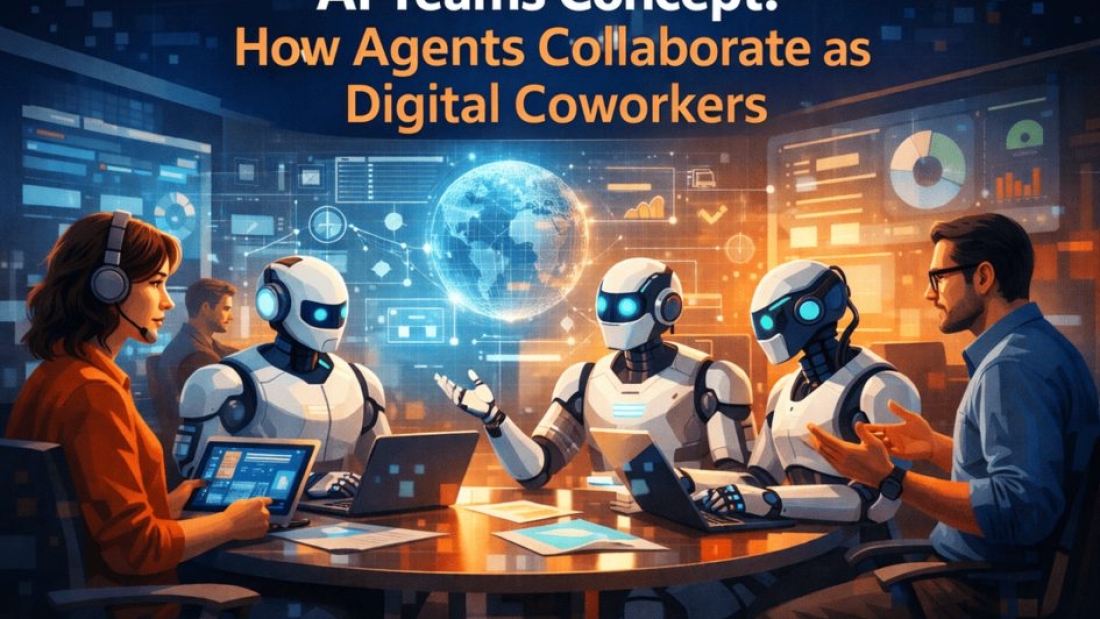
Teams of AI agents collaborating—like digital workforces.

The Rise of Personalized AI Agents

Every individual having their own AI assistant for personal and professional life.


Conclusion

Agentic AI and Autonomous AI Agents are transforming everything—from business operations to personal productivity. With the ability to think, act, and execute independently, these AI systems are shaping the future of automation, making processes faster, smarter, and more efficient than ever before.

As this technology grows, expect to see AI becoming not just a tool—but a true collaborator.