

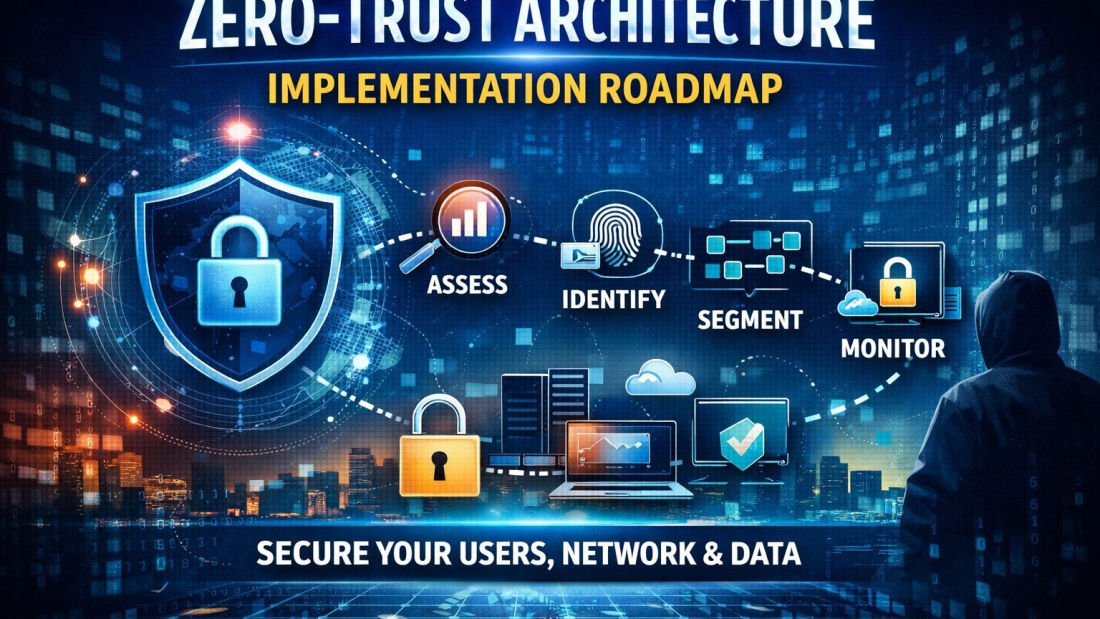
Introduction to Zero-Trust Architecture
What Is Zero-Trust Architecture?
Imagine running a company where everyone inside your building is automatically trusted. Sounds risky, right? That’s exactly how traditional cybersecurity worked for years. Once you were inside the network, you were trusted.
Zero-trust flips that idea on its head.
Zero-trust architecture (ZTA) is built on one simple rule: Never trust. Always verify. Every user, device, and application must prove its identity before accessing anything—no matter where it’s coming from.
Why Traditional Security Models Fail
The old “castle-and-moat” model assumes threats come from outside. But today, attackers sneak in through phishing emails, compromised credentials, or infected devices. Once inside, they move freely.
That’s like locking your front door but leaving every room inside wide open.
Why Mid-Sized Enterprises Need Zero-Trust Now
Rising Cyber Threats and Ransomware
Mid-sized enterprises are prime targets. Why? Because they often lack enterprise-level defenses but still hold valuable data.
Ransomware attacks are no longer rare events—they’re routine business risks.
Hybrid Work and Cloud Expansion
Your employees aren’t just in the office anymore. They’re at home, in cafes, traveling—and accessing cloud apps from everywhere.
Increased Attack Surface
More devices, more apps, and more cloud services.
Each one is a potential entry point.
Zero-trust shrinks that risk by verifying every connection.
Core Principles of Zero-Trust
Verify Explicitly
Every request must be authenticated and authorized. Always.
Least Privilege Access
Users get access only to what they absolutely need. Nothing more.
Assume Breach
Act as if attackers are already inside. It sounds paranoid—but it’s practical.
Step 1 – Assess Current Security Posture
Asset Inventory
You can’t protect what you don’t know exists. List every device, application, server, and cloud workload.
Risk Assessment
Identify vulnerabilities. Where are the weak points?
Identifying Critical Data
What data would hurt most if stolen? Customer records? Financial data? IP?
Start there.
Step 2 – Define the Zero-Trust Strategy
Business Objectives Alignment
Security must support business goals—not block them.
Executive Buy-In
Without leadership support, your roadmap dies on paper.
Governance Framework
Create clear policies, responsibilities, and compliance standards.
Step 3 – Strengthen Identity and Access Management (IAM)
Identity is the new perimeter.
Multi-Factor Authentication (MFA)
Passwords alone are fragile. MFA adds another lock to the door.
Role-Based Access Control (RBAC)
Access based on roles, not guesswork.
Privileged Access Management (PAM)
Admins are high-value targets. Lock down their privileges tightly.
Step 4 – Implement Network Segmentation
Micro-Segmentation Explained
Break your network into smaller zones. If one segment is breached, others stay protected.
Like watertight compartments on a ship.
Software-Defined Perimeter (SDP)
Hide internal systems from public view. No visibility, no target.
Secure Remote Access
Use secure gateways and VPN alternatives that verify user and device context.
Step 5 – Secure Endpoints and Devices
Endpoint Detection and Response (EDR)
Real-time threat detection on devices.
Mobile Device Management (MDM)
Control company data on mobile devices.
Device Compliance Monitoring
Only compliant devices get access.
Step 6 – Protect Applications and Workloads
Cloud Security Controls
Apply zero-trust policies to SaaS and cloud apps.
API Security
APIs are digital doorways. Secure them tightly.
DevSecOps Integration
Build security into development from day one.
Step 7 – Continuous Monitoring and Analytics
Security Information and Event Management (SIEM)
Centralize logs. Detect anomalies.
Behavioral Analytics
Spot unusual user behavior early.
Incident Response Planning
Prepare for the worst. Practice response drills.
Step 8 – Data Protection and Encryption
Data Classification
Not all data is equal. Label it.
Encryption at Rest and in Transit
Encrypt everywhere.
Data Loss Prevention (DLP)
Prevent sensitive data from leaving unauthorized channels.
Step 9 – Automate and Integrate Security Tools
Security Orchestration (SOAR)
Automate response workflows.
Policy Automation
Reduce manual enforcement.
Reducing Human Error
Automation limits mistakes.
Step 10 – Train Employees and Build Security Culture
Security Awareness Programs
People are your first line of defense.
Phishing Simulations
Test readiness regularly.
Insider Threat Mitigation
Monitor risky behavior early.
Measuring Success and Optimization
Key Performance Indicators (KPIs)
Track metrics like incident response time and unauthorized access attempts.
Continuous Improvement
Zero-trust is a journey, not a project.
Common Challenges in Zero-Trust Implementation
Budget Constraints
Start small. Prioritize high-risk areas.
Legacy Systems
Gradually modernize.
Change Resistance
Communicate benefits clearly.
Future of Zero-Trust in Mid-Sized Enterprises
AI-Driven Security
AI enhances threat detection speed and accuracy.
Zero-Trust as a Service
Managed services make adoption easier.
Conclusion
Zero-trust architecture isn’t just another IT trend. It’s a survival strategy.
For mid-sized enterprises, the question isn’t whether to adopt zero-trust. It’s how fast you can implement it.
Start with identity. Segment your network. Monitor continuously. Automate smartly.
Security is no longer about building higher walls. It’s about checking every door, every time.