

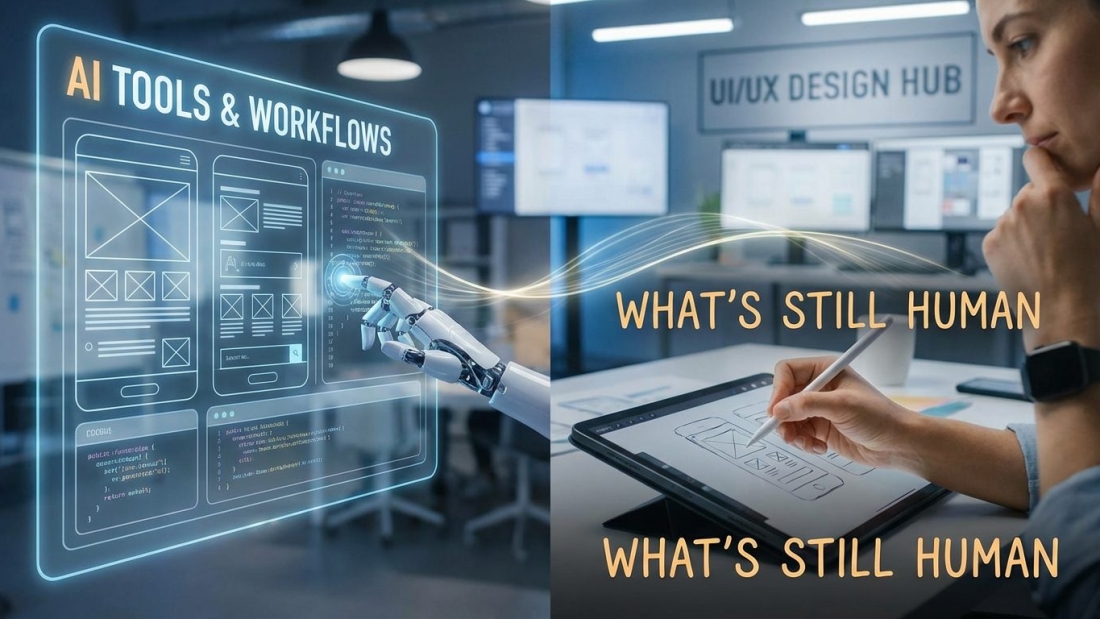
How AI is Changing UI/UX Design
The Rise of AI in Design
Why AI Became Essential in 2026
Let’s be real—UI/UX design has gone through a serious glow-up. Not long ago, designers were stuck doing repetitive work: adjusting pixels, building wireframes manually, and running endless usability tests. It was slow, sometimes frustrating, and definitely time-consuming.
Now enter AI—and everything changed.
In 2026, AI isn’t just a helpful add-on; it’s deeply embedded into the design process. From research to final delivery, AI acts like a supercharged assistant that speeds things up and reduces the heavy lifting. It helps designers skip the boring parts and focus on what actually matters—creating meaningful user experiences.
Think of AI like a high-performance engine. It doesn’t decide where to go, but it gets you there faster. Designers are still in control—they just have better tools now.
Key Statistics Driving Adoption
The shift toward AI in UI/UX isn’t just hype—it’s backed by real momentum. A huge percentage of design teams worldwide are already using AI tools in their daily workflows. That means AI isn’t the future anymore—it’s the present.
Here’s what’s pushing this change:
- Faster product development cycles
- Growing demand for personalized user experiences
- Pressure to deliver more with fewer resources
And honestly, once teams start using AI, there’s no going back. Tasks that used to take hours—like building layouts or testing variations—can now be done in minutes. It’s like switching from a bicycle to a sports car.
Core Ways AI is Transforming UI/UX
AI-Powered Personalization
Have you ever opened an app and felt like it just gets you? That’s not magic—that’s AI.
AI-powered personalization allows interfaces to adapt based on user behavior. Instead of showing the same layout to everyone, apps now change dynamically depending on what users click, how long they stay, and what they prefer.
This creates a more engaging experience. Users feel understood, and that leads to better retention and satisfaction. It’s like walking into a store where everything is already tailored to your taste.
Generative Design Systems
This is where things get really interesting. AI can now generate entire UI designs from simple text prompts.
Imagine typing, “Design a clean mobile app for fitness tracking,” and instantly getting multiple layout options. That’s the power of generative design systems.
Designers are no longer starting from scratch. Instead, they’re guiding AI, refining outputs, and adding creative direction. It’s a shift from doing everything manually to collaborating with intelligent systems.
Predictive UX Optimization
AI doesn’t just react—it predicts.
By analyzing user data, AI can identify where users might struggle or drop off. It can suggest improvements before problems even happen. That’s a game-changer for UX.
Instead of fixing issues after users complain, designers can proactively improve the experience. It’s like having a crystal ball for usability.
AI Tools Designers Are Using Today
AI Design Assistants
Modern design tools now come with built-in AI features that assist with layout creation, component generation, and design consistency.
These assistants can:
- Suggest design improvements
- Automatically create variations
- Maintain consistent styles across projects
It’s like having a teammate who never gets tired and always follows the design system perfectly.
UI Generation Tools
Prompt-based design tools are becoming incredibly popular. These platforms allow designers to create wireframes and UI screens simply by describing what they want.
No sketching. No dragging elements for hours. Just type—and watch the design come to life.
This doesn’t replace designers—it empowers them to move faster and explore more ideas.
Research & Testing Tools
AI has completely changed how research works in UX.
Instead of manually analyzing feedback or data, AI tools can process massive amounts of information in seconds. They can identify patterns, highlight user pain points, and even suggest solutions.
This frees up designers to focus on insights rather than getting stuck in spreadsheets.
The New AI-Driven Workflow
Research Phase with AI
Research used to be one of the slowest parts of the design process. Gathering data, conducting interviews, analyzing results—it all took time.
Now, AI speeds up everything. It can analyze user behavior, summarize feedback, and uncover trends almost instantly.
But here’s the important part: AI gives you data, not meaning. Designers still need to interpret the results and decide what actions to take.
Ideation and Wireframing
Staring at a blank screen? That’s becoming a thing of the past.
AI helps generate multiple design concepts quickly, giving designers a starting point. Instead of one idea, you get ten. That means more creativity and better outcomes.
Designers can experiment freely without worrying about time constraints.
Prototyping and Iteration
Iteration is where great design happens—and AI makes it faster than ever.
Designers can test multiple variations, refine layouts, and improve usability in real time. Some tools even simulate user interactions, giving a preview of how users will experience the product.
This leads to better designs with fewer mistakes.
Handoff and Development
The gap between designers and developers is shrinking.
AI tools can now convert design files into code, making the handoff process smoother. This reduces miscommunication and speeds up development.
The result? Faster launches and fewer revisions.
Benefits of AI in UI/UX Design
AI brings a ton of advantages to the table, and it’s easy to see why designers are embracing it.
- Speed: Work gets done faster than ever
- Efficiency: Less manual effort, more focus on creativity
- Consistency: Design systems stay uniform
- Scalability: Easier to handle large projects
- Innovation: New possibilities emerge
AI doesn’t just improve the process—it expands what’s possible in design.
Challenges and Limitations
Of course, AI isn’t perfect.
One major issue is that AI-generated designs can feel generic. When everyone uses similar tools, designs start to look the same. Creativity can take a hit if designers rely too heavily on automation.
There’s also the problem of quality. AI can produce visually appealing layouts, but they don’t always work well from a usability standpoint.
And then there’s trust. Users can sense when something feels off. AI still struggles to capture the subtle human touch that makes designs truly engaging.
What Still Requires Human Creativity
Emotional Intelligence in Design
Design is about more than just visuals—it’s about emotion.
AI can analyze behavior, but it doesn’t truly understand how people feel. It can’t experience frustration, excitement, or confusion.
Designers bring empathy into the process. They understand users on a deeper level and create experiences that connect emotionally.
Ethical Decision-Making
AI doesn’t have a moral compass.
Designers must make important decisions about privacy, data usage, and fairness. These aren’t technical challenges—they’re ethical ones.
Without human oversight, AI-driven design could easily cross boundaries.
Strategic Thinking
AI can generate ideas, but it doesn’t think strategically.
Designers define goals, align with business needs, and create long-term visions. They decide what to build and why it matters.
AI supports the process—but humans lead it.
Future Trends in AI UI/UX Design
The future of UI/UX design is exciting—and a little unpredictable.
We’re moving toward more adaptive interfaces, where designs change in real time based on user behavior. Voice interactions and invisible interfaces are also becoming more common.
AI will continue to evolve, becoming more integrated into every stage of the design process. But one thing is clear: human creativity isn’t going anywhere.
The best designs will come from a combination of human insight and AI efficiency.
Conclusion
AI is transforming UI/UX design at every level. It’s making workflows faster, smarter, and more efficient. But it’s not replacing designers—it’s redefining their role.
Designers are now collaborators with AI, using it to enhance their creativity rather than replace it. The real value comes from blending human intuition with machine intelligence.
That’s where the magic happens.